
Forms & lead capture
Capture every lead, with consent.
Contact, newsletter, booking and intake forms feed one contact list, with the consent behind each signup recorded.
For coaches, consultants and course creators who collect enquiries and sign-ups on their own pages.
Why forms & lead capture matters
A form is the first thing a stranger does with your business. What you do with the answer decides whether it becomes a client.
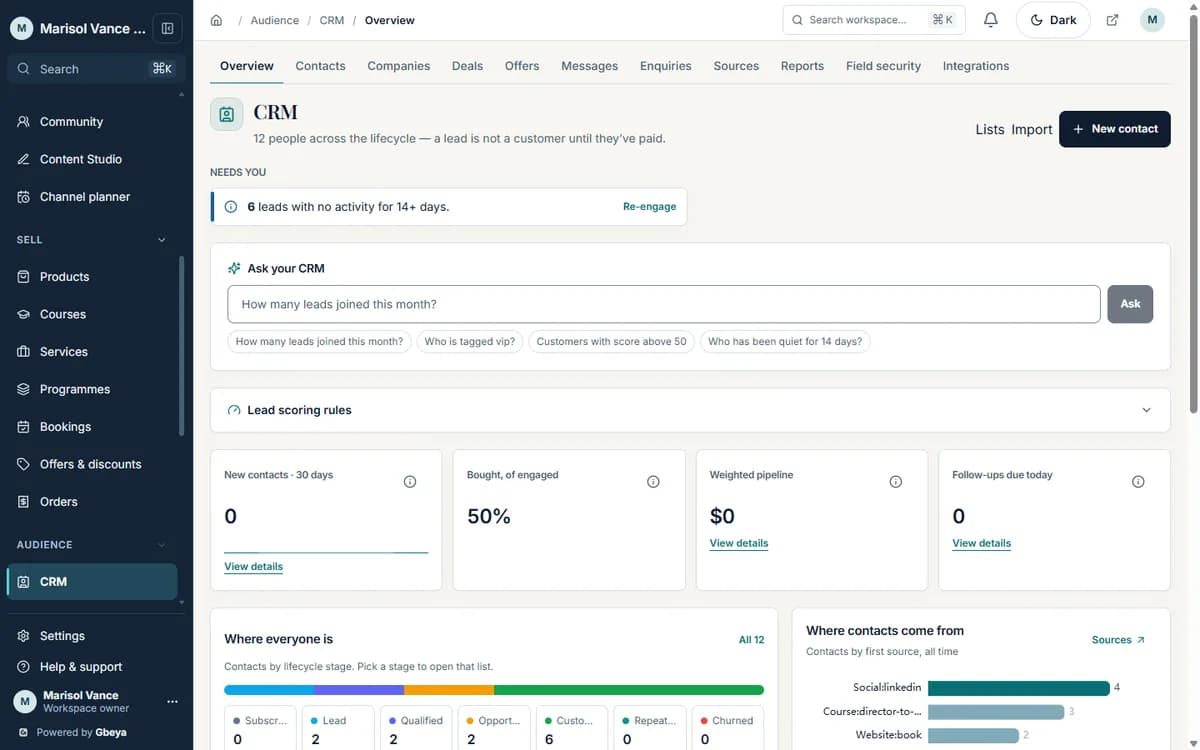
Submissions here become a contact, with the form, the page and the consent attached, and the same record can be followed up by email, a sequence or a task.
How lead capture forms for coaches works
- 1
Place the form
Add a form to any page, a link in bio page or a dedicated intake page.
- 2
Record the consent
Newsletter sign-ups send a confirmation email, and the confirmed consent is stored with the contact.
- 3
Land on one contact
The submission creates or updates the contact, with the source it came from.
- 4
Follow up
Show a thank-you page for that form, start an automation flow, or assign yourself a task.
One list, not five inboxes
Contact, newsletter, booking and intake submissions all end up on the same contact.
Consent you can show
The confirmation and the wording behind a newsletter sign-up are stored, so you can answer a question about why someone is on your list.
A thank-you that does a job
Choose what happens after each form: a confirmation, a booking link or the next step in a flow.
Why Gbeya
Every form writes to one contact list that already holds your bookings, purchases and email history, so a lead is never a separate copy.
Consent rules depend on where your subscribers live. Gbeya records the consent you collect; deciding which rules apply to your list remains your responsibility.
What Forms & lead capture does
- Collect contact enquiries, newsletter sign-ups, bookings, intake answers and speaking or sponsorship requests
- Run multi-step intake flows on their own page
- Confirm newsletter sign-ups by email before they join the list, and record the consent
- Send each submission to the same contact record, with source and page
- Route the person to a thank-you page chosen for that form
- Start an automation flow when a form is submitted
Straight answers
Questions about lead capture forms for coaches
What kinds of forms can I use?
Contact, newsletter, booking, intake flows, and speaking and sponsorship requests. They all write to your contact list.
Do newsletter sign-ups need email confirmation?
Newsletter sign-ups send a confirmation email, and the confirmed consent is recorded against the contact.
Where do the leads go?
Each submission creates or updates a contact in your CRM, with its source, so you can follow up from the same place as your bookings and purchases.
Can a form start an automation?
Yes. A form submission can be the trigger for an automation flow.
One part of your whole business on Gbeya
Every module shares one audience, one analytics spine and one login. 0% platform fee on your sales.