Ad tracking & attribution
Know which ad paid for the client.
Install your ad platform tags once, send conversions from the server, and see leads and revenue by channel.
For coaches and course creators who run paid ads and need to know which campaign produced a paying client.
Why ad tracking & attribution matters
A paid campaign is judged by what it brings in, not by what it costs per click. That needs the ad click and the sale on the same record.
Tags here are set up in one place, wait for consent, and send the conversion that matters from the server as well as the browser.
How ad conversion tracking for coaches works
- 1
Add your tags
Paste each platform ID in Settings. IDs are validated against the platform format before they are saved.
- 2
Respect consent
Tags load after the visitor accepts. Declining keeps only what the site needs to run.
- 3
Carry the click through
Click identifiers and UTM tags are captured on arrival and stay with the lead through to the order.
- 4
Send and report
Conversions go to the ad platform from the browser and the server. The growth report shows channel, campaign, leads, orders and revenue.
One place for every tag
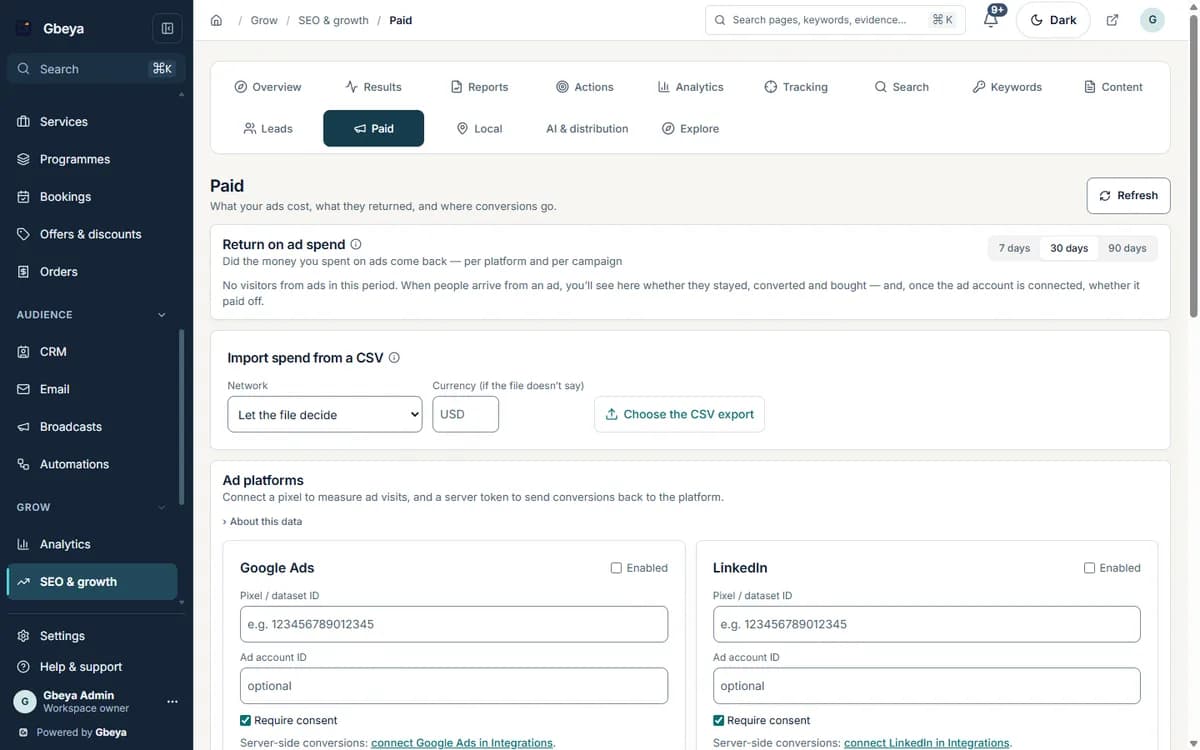
Sixteen ad and analytics platforms share one settings screen with validation, instead of scripts pasted into page footers.
Browser and server together
Meta events are sent from both, de-duplicated with a shared event ID. Google and Microsoft accept offline conversions from a connected account.
Revenue by channel
See which channel and campaign produced orders, not just form fills.
Why Gbeya
The same workspace that takes the booking and the payment records where the visitor came from, so the ad report ends in revenue and not in clicks.
Coverage differs by platform. Microsoft Advertising consent mode and region-specific consent defaults are not available yet, and TikTok and LinkedIn server events do not yet include hashed contact details. Always check your tag in the ad platform diagnostics before you spend.
What Ad tracking & attribution does
- Add base tags for Google Analytics 4, Google Tag Manager, Google Ads, Meta, TikTok, LinkedIn, Microsoft Advertising, Pinterest, Snapchat, Reddit, X, Quora, Taboola, Outbrain, Criteo and Microsoft Clarity from workspace settings
- Load tags only after the visitor consents, with Google consent mode for Google tags
- Capture click identifiers such as gclid, msclkid, fbclid and ttclid together with UTM tags
- Send Meta conversions from the server alongside the browser pixel, with a shared event identifier so events are not counted twice
- Upload offline conversions to Google Ads and Microsoft Advertising from a connected account
- Report leads, orders, revenue and conversion rate by channel and campaign
Straight answers
Questions about ad conversion tracking for coaches
Which ad platforms are supported?
Base tags for Google Analytics 4, Google Tag Manager, Google Ads, Meta, TikTok, LinkedIn, Microsoft Advertising, Pinterest, Snapchat, Reddit, X, Quora, Taboola, Outbrain, Criteo and Microsoft Clarity.
Do the tags wait for cookie consent?
Yes. Tags load only after the visitor consents, and Google consent mode is set for Google tags.
Does it support Meta Conversions API?
Yes. Meta conversions are sent from the server as well as the browser, with a shared event ID so they are not double counted.
Can I send sales back to Google Ads or Microsoft Advertising?
Yes. Offline conversions can be uploaded to both from an account you connect for the workspace.
One part of your whole business on Gbeya
Every module shares one audience, one analytics spine and one login. 0% platform fee on your sales.