
Blog & SEO
Write posts that rank and sell.
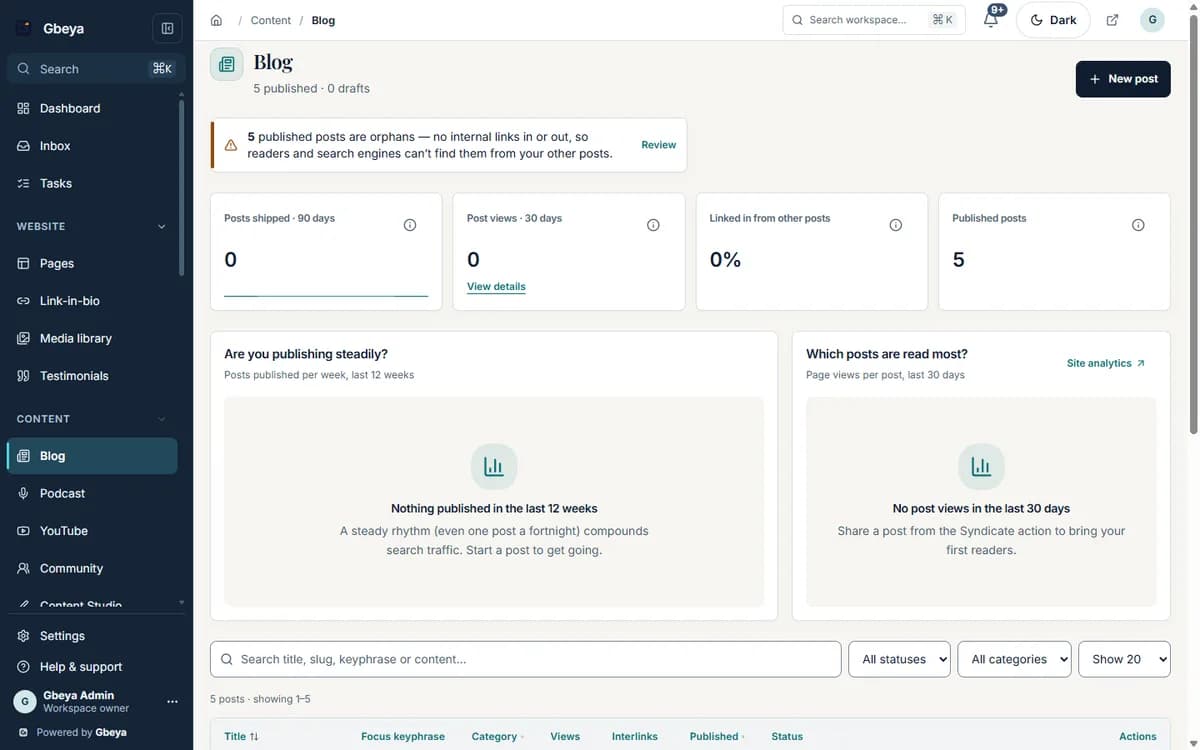
Write on your own domain with a focus keyphrase, an SEO panel and suggested internal links built into the editor.
For coaches, course creators and writers who bring clients in through search.
Why blog & seo matters
Search brings the readers who are already looking for what you teach. The post has to be found, then it has to lead somewhere.
The editor scores the basics while you write, and the same workspace holds the products and pages the post should link to.
How blog and seo tools for creators works
- 1
Find the topic
Content Studio lists keywords for your field with intent, difficulty and whether a page of yours already targets each one.
- 2
Brief and draft
Turn a keyword into a brief with an outline and questions to answer, then draft in your brand voice and edit.
- 3
Optimise
Set the focus keyphrase and use the SEO panel and suggested internal links.
- 4
Publish
Publish or schedule. Subscribers who chose blog updates and push subscribers are notified.
SEO in the editor
Scores and suggestions appear while you write, not in a separate tool.
Links to what you sell
Internal link suggestions come from your own posts and products.
Nothing publishes by itself
AI drafts are drafts: you edit and publish.
Why Gbeya
The blog sits on your domain next to your offers, so a reader who finishes a post is one click from the course, the booking or the list.
SEO scores guide the writing; they do not guarantee a ranking.
What Blog & SEO does
- Write posts in an editor with headings, images from your library, embeds and code
- Score the title, meta description, headings, links and length against a focus keyphrase as you write
- Plan keywords, briefs and drafts in Content Studio, drafted in your brand voice with AI credits you control
- Organise with categories and tags and get internal links suggested from your own posts and products
- Publish or schedule, and send to subscribers, push subscribers and syndicated social channels
- Keep old links working: renaming a post redirects the old address
Straight answers
Questions about blog and seo tools for creators
Does the blog live on my own domain?
Yes. Posts publish on your workspace site and custom domain.
What does the SEO panel check?
The title, meta description, headings, links and length against the focus keyphrase you set.
Can AI write my posts?
Content Studio can draft from a brief in your brand voice using your workspace AI credits. Nothing is published automatically.
What happens if I rename a post?
The old address redirects to the new one.
One part of your whole business on Gbeya
Every module shares one audience, one analytics spine and one login. 0% platform fee on your sales.