
CRM & pipeline
See every deal, and what is next.
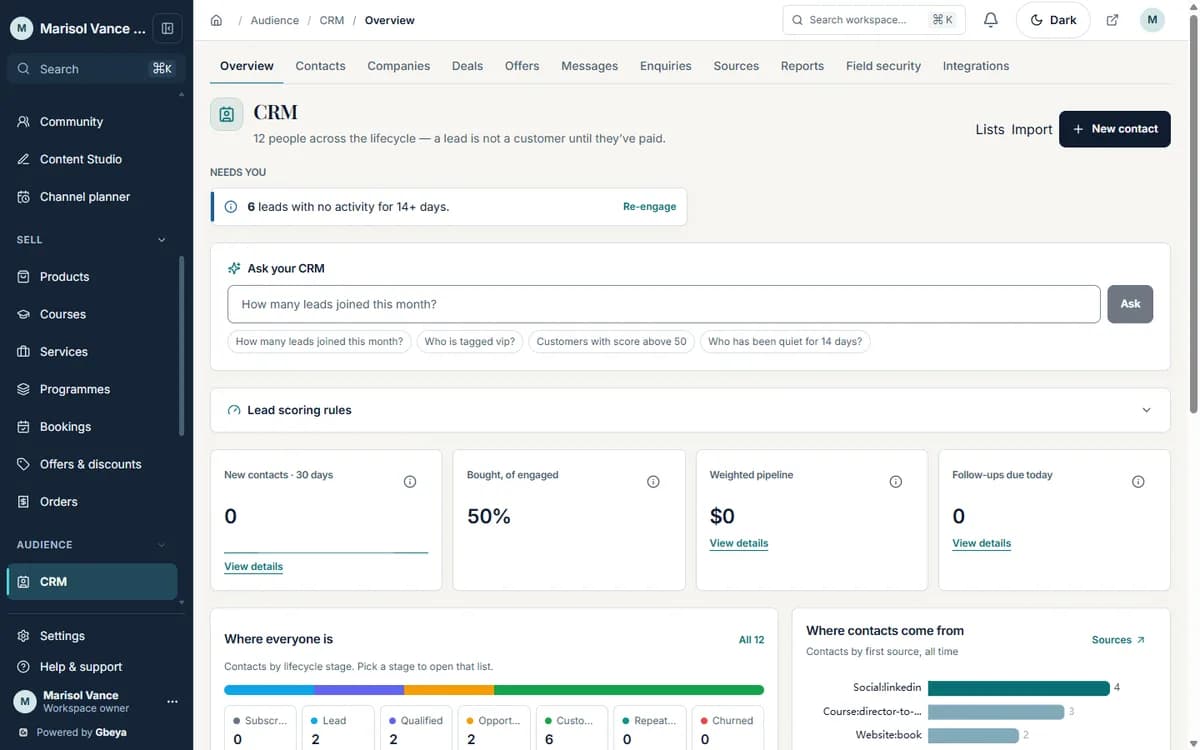
Contacts, companies, deal stages, tasks and lead scores sit on the same record that holds every booking and purchase.
For small business owners, consultants and service providers who sell to individuals and organisations.
Why crm & pipeline matters
A CRM earns its place when the first question each morning is answered by it: who needs a reply, which deals are stuck, who is ready to buy.
Because contacts here come from your own bookings, payments, forms and email, the pipeline is current without data entry.
How crm for small business owners works
- 1
People arrive
Forms, bookings, purchases and imports create or update contacts and companies.
- 2
Stage the deal
Open an opportunity on a pipeline and move it through the stages you named.
- 3
Score and prioritise
Lead scoring rules add points for the actions that matter to you.
- 4
Act
Tasks, email sequences and webhooks follow from the stage a deal reaches.
No copying between tools
The contact already holds the booking, the order and the form that created it.
Your stages, your fields
Name the pipeline the way you sell, and add the fields your business needs.
Open to your other systems
CRM webhooks send changes to the tools you keep using.
Why Gbeya
The CRM is not an extra tool to feed: bookings, purchases, form submissions and emails already write to the contact.
This page covers the general contact and pipeline CRM. Coaching engagements, session credits and client portals are described on their own pages.
What CRM & pipeline does
- Keep contacts and companies, with custom fields you define
- Move opportunities through pipelines with stages you name
- Assign tasks and follow-ups to each contact or deal
- Score leads with rules you set, so the likely buyers rise to the top
- Merge duplicate contacts and keep a record of the merge
- Send changes to other systems through CRM webhooks
Straight answers
Questions about crm for small business owners
Is the CRM separate from the rest of Gbeya?
No. Contacts are shared with email, bookings, courses and forms, so there is nothing to sync.
Can I run more than one pipeline?
Yes. Pipelines have stages you name, and each opportunity sits on one pipeline.
Can I define my own fields?
Yes. Custom fields can be added to contacts and companies.
Is there a CRM built for coaches?
Yes. The coaching and consulting CRM page covers client engagements, packages and session history for coaches.
One part of your whole business on Gbeya
Every module shares one audience, one analytics spine and one login. 0% platform fee on your sales.